
Turn your ManaBox collection into a Commander deck
You have already catalogued your cards. Now put that collection to work: import your ManaBox CSV into Commandarium, choose a commander, and build around the cards you already own. Review the result, make your changes, and see what you would still need.
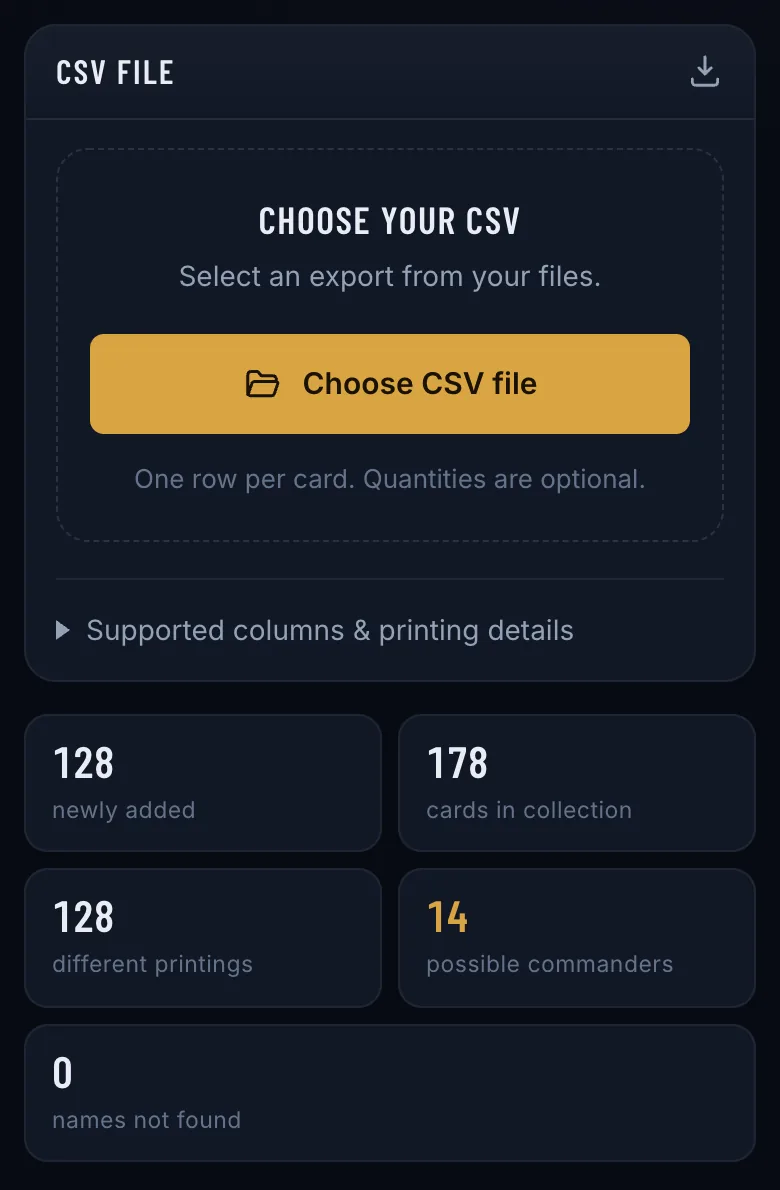
Opens Commandarium. On the start screen, tap Import collection, then Choose CSV file.
From collection list to deckbuilding starting point
A collection tells you what is in your binders. Building a deck asks a different question: which of those cards belong together?
Use your ManaBox export as the starting point for exploring a commander, finding useful cards, and assembling a list you can refine.
Get started in three steps
Export your collection
Save a CSV of the cards you want to use from ManaBox. Keep the original export as a backup. Where to find the export: the import guide.
Import and review
Open the collection import in Commandarium and select your file. Review the imported cards before continuing: the import counts what it added and lists any name it could not match. ManaBox’s binders arrive as binders, and each card keeps its printing, foil, condition and language.
Choose a commander and build
Pick the commander you want to play. Commandarium prioritizes cards in your collection and identifies suggested additions you do not own.
Check the result before buying anything
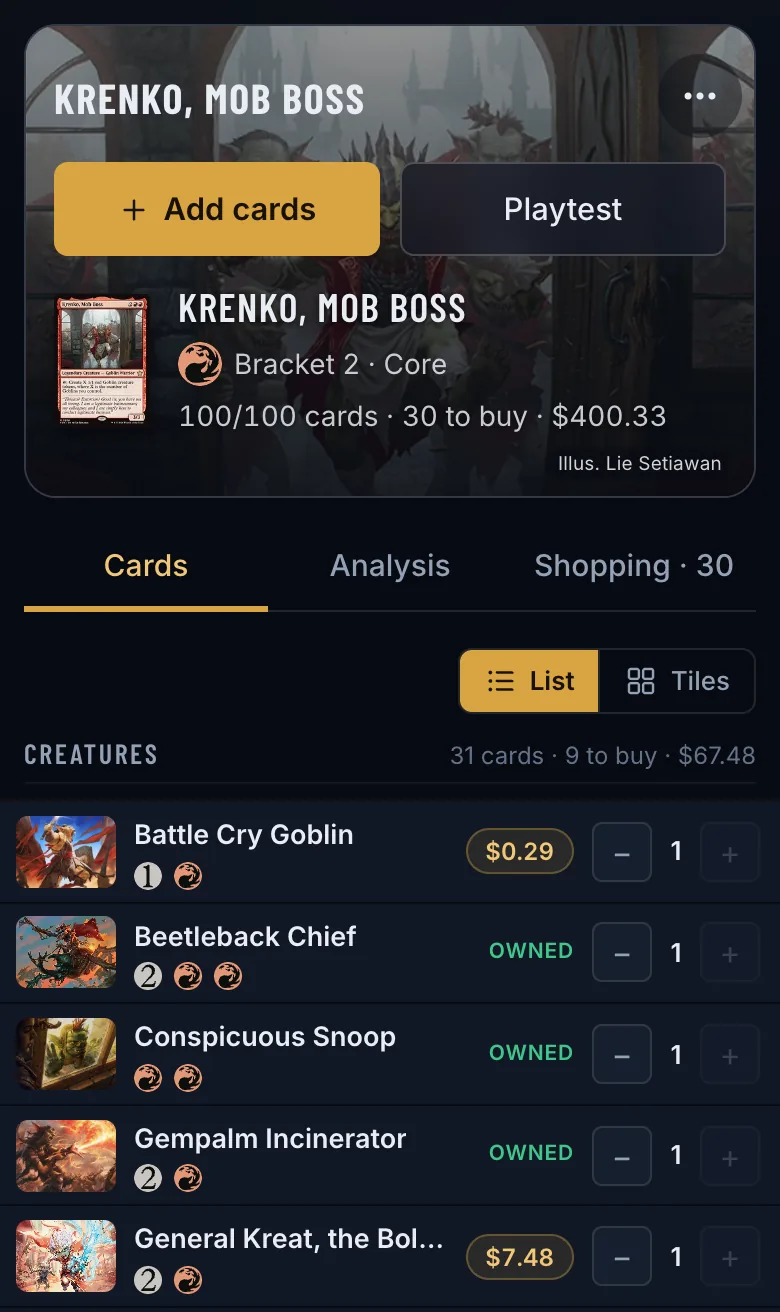
Look through the proposed list first. A card you already own may be a better starting choice for you than a suggested purchase.
Use the deck as a draft: review the strategy, adjust individual cards, and decide which additions are worth making.
- Every card in the deck is marked Owned or shows its price.
- The Shopping tab lists only the cards you are missing, the most important first. About the shopping list
- To keep that list as short as possible, build with My cards first.
Your ManaBox cards, ready to build
Free, in your browser — no download, no account needed to start.
Build from my ManaBox cardsOpens Commandarium. On the start screen, tap Import collection, then Choose CSV file.
Questions
Does this connect directly to my ManaBox account?
No. This workflow uses a CSV export: Commandarium reads the file you save from ManaBox and has no connection to a ManaBox account.
Will future ManaBox changes appear automatically?
No. A CSV represents your collection at the time you exported it. Export and import an updated file when you want to bring across changes — choose Merge, and cards you already have take the quantity from the new file instead of being doubled.
Will every card in the deck come from my collection?
Not necessarily. Where your collection has no good card for a slot, a missing card may be suggested; it is marked separately, with its price, and listed on the Shopping tab.
Read more
More ways to build from what you own
Delver Lens CSV to Commander deck
Scanned your cards with Delver Lens? Import the CSV and build a Commander deck from your scans.
How it works →MTG spreadsheet to Commander deck
Keep your cards in Excel or Google Sheets? Save the list as CSV and build from it.
How it works →Scan cards and start a deck
No digital collection yet? Scan a small stack and start building from it.
How it works →Choose a commander from your collection
Your next commander may already be in your binders. Explore the legendary creatures you own.
How it works →A deck from one binder or box
Turn one binder, one box or one pile of bulk into a complete Commander deck.
How it works →Upgrade a precon with your cards
Make a preconstructed deck stronger with the cards already sitting in your binders.
How it works →Check your deck’s ratios
Import a decklist and see its ramp, card draw and removal against their targets.
How it works →A shopping list from your collection
Only the cards your collection is missing for a deck — with today’s prices and the total.
How it works →Deck prices on Cardmarket
What a Commander deck costs in euros — and what it costs you after the cards you own.
How it works →