
Start your next Commander deck with the cards on your table
No digital collection yet? Start with a manageable stack. Use the Commandarium card scanner to record your cards, review the results, and begin exploring a deck from what you have added.
Opens Commandarium. Tap Scanner and allow camera access when your browser asks.
You do not need to catalogue everything first
Choose a small starting group: cards you enjoy playing, recent additions, or cards you think could support a particular commander.
Recording that first group gives you something useful to build from. Add more of your collection as you go.
Scan, check, build
1Scan your cards
Open the scanner in your browser and follow the camera prompts. Place each card flat and keep it still while it is recognized. Each card goes onto a stack of scanned cards first, not straight into your collection.
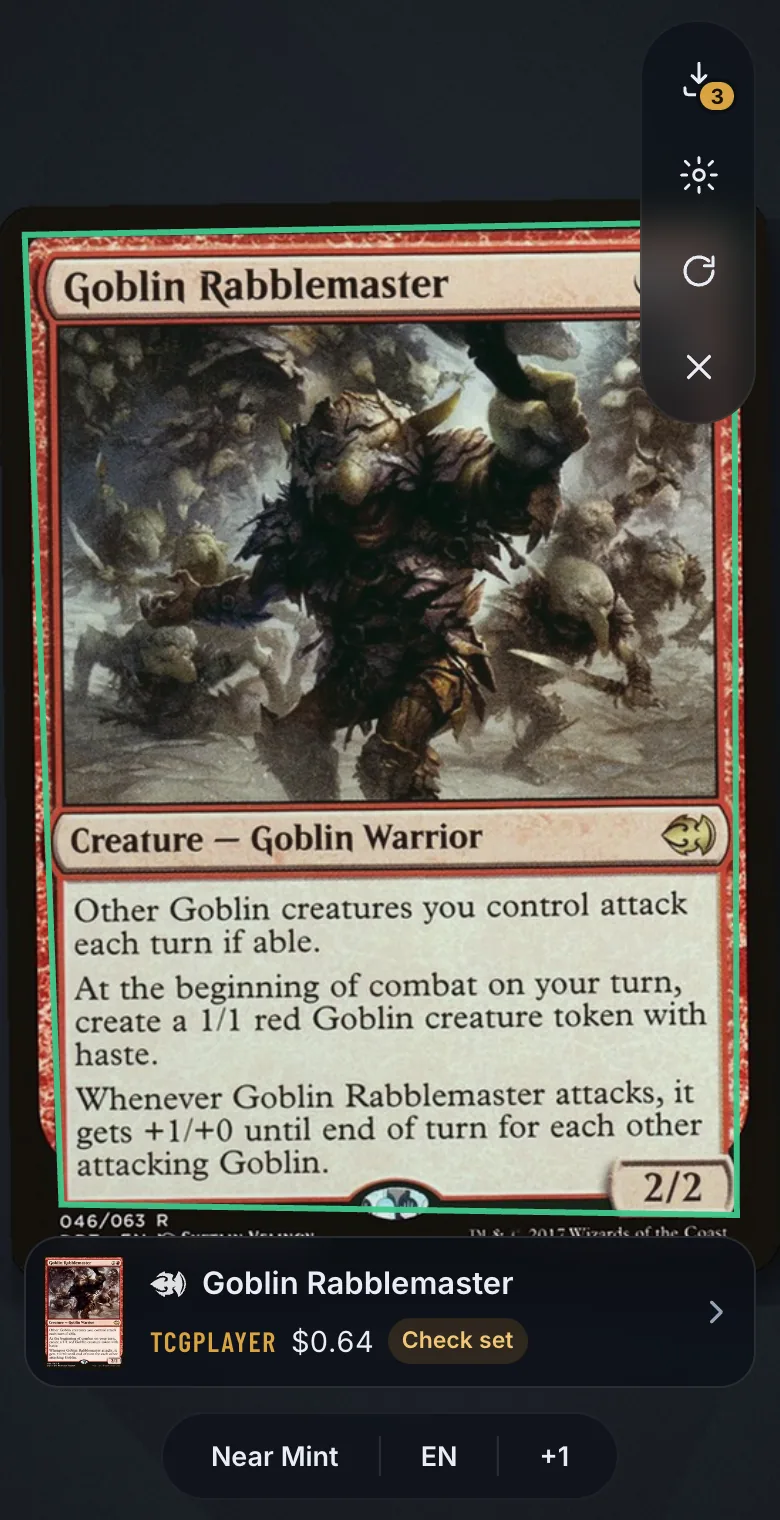
2Review the match
Check the card and its edition before adding it. Similar-looking printings can need a closer look: Commandarium marks those with Check set, and the pencil changes the set, condition or language.
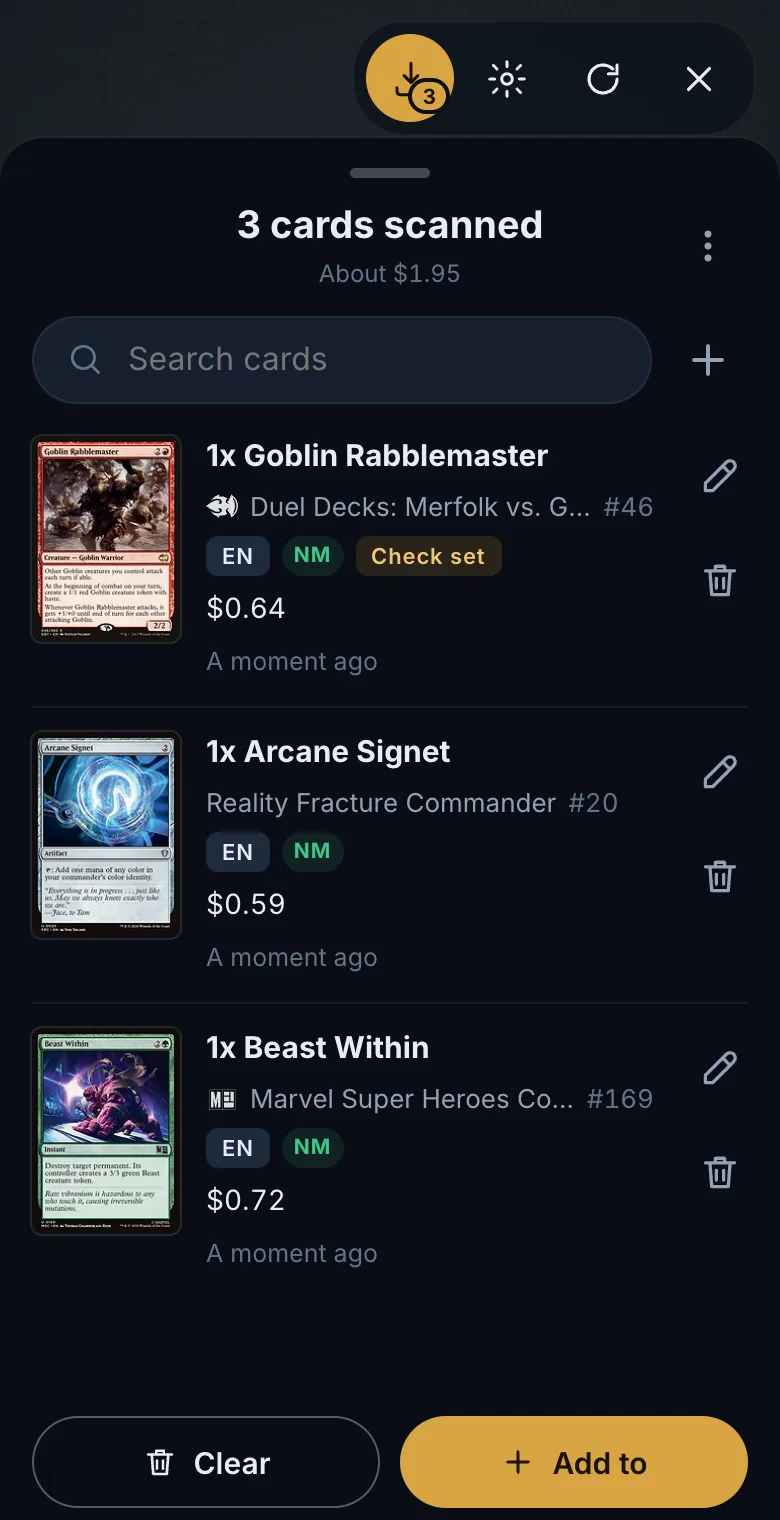
3Start a deck
Once your cards are in your collection, choose a commander and begin building. Review the proposed list before deciding what to change or add. Add to → Binder puts the stack into a binder, and a deck can be built from just that binder.
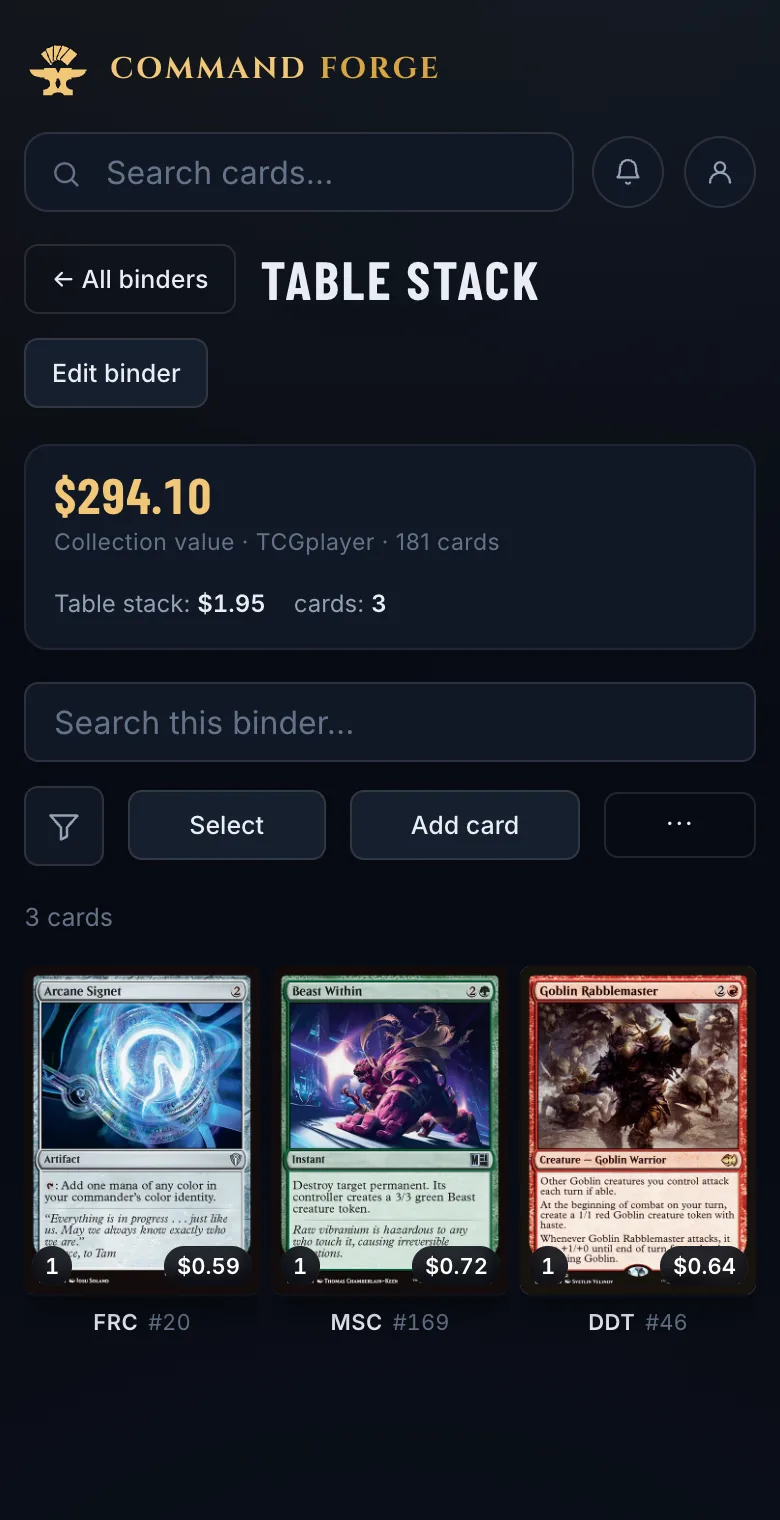
Make scanning easier
- Use even lighting and reduce reflections.
- Keep the entire card visible.
- Choose a surface that contrasts with the card’s border.
- Check uncertain matches while the physical card is still in front of you.
No camera at hand? Upload photo in the scanner takes a picture from your phone’s own camera app instead.
Start with one stack
Free, in your browser — nothing to install.
Scan my first cardsOpens Commandarium. Tap Scanner and allow camera access when your browser asks.
Questions
Do I need to install a separate scanner app?
No. The Commandarium scanner runs in the browser.
What if I already have a digital collection?
Importing its CSV may save you rescanning those cards. Use the scanner for additions. About the collection import
Will scanning a stack guarantee a complete Commander deck?
No. The cards you scan may not cover everything a deck needs. Review any suggested additions in the builder: the slots your cards cannot fill get suggested cards, marked as ones to buy.
Read more
More ways to build from what you own
ManaBox collection to Commander deck
Already catalogued your cards in ManaBox? Import the CSV and build around what you own.
How it works →Delver Lens CSV to Commander deck
Scanned your cards with Delver Lens? Import the CSV and build a Commander deck from your scans.
How it works →MTG spreadsheet to Commander deck
Keep your cards in Excel or Google Sheets? Save the list as CSV and build from it.
How it works →Choose a commander from your collection
Your next commander may already be in your binders. Explore the legendary creatures you own.
How it works →A deck from one binder or box
Turn one binder, one box or one pile of bulk into a complete Commander deck.
How it works →Upgrade a precon with your cards
Make a preconstructed deck stronger with the cards already sitting in your binders.
How it works →Check your deck’s ratios
Import a decklist and see its ramp, card draw and removal against their targets.
How it works →A shopping list from your collection
Only the cards your collection is missing for a deck — with today’s prices and the total.
How it works →Deck prices on Cardmarket
What a Commander deck costs in euros — and what it costs you after the cards you own.
How it works →