
Turn your MTG spreadsheet into a Commander deck
Your card list does not have to stay a spreadsheet. Save your Excel or Google Sheets collection as a CSV, import it into Commandarium, and start building with the cards you have recorded.
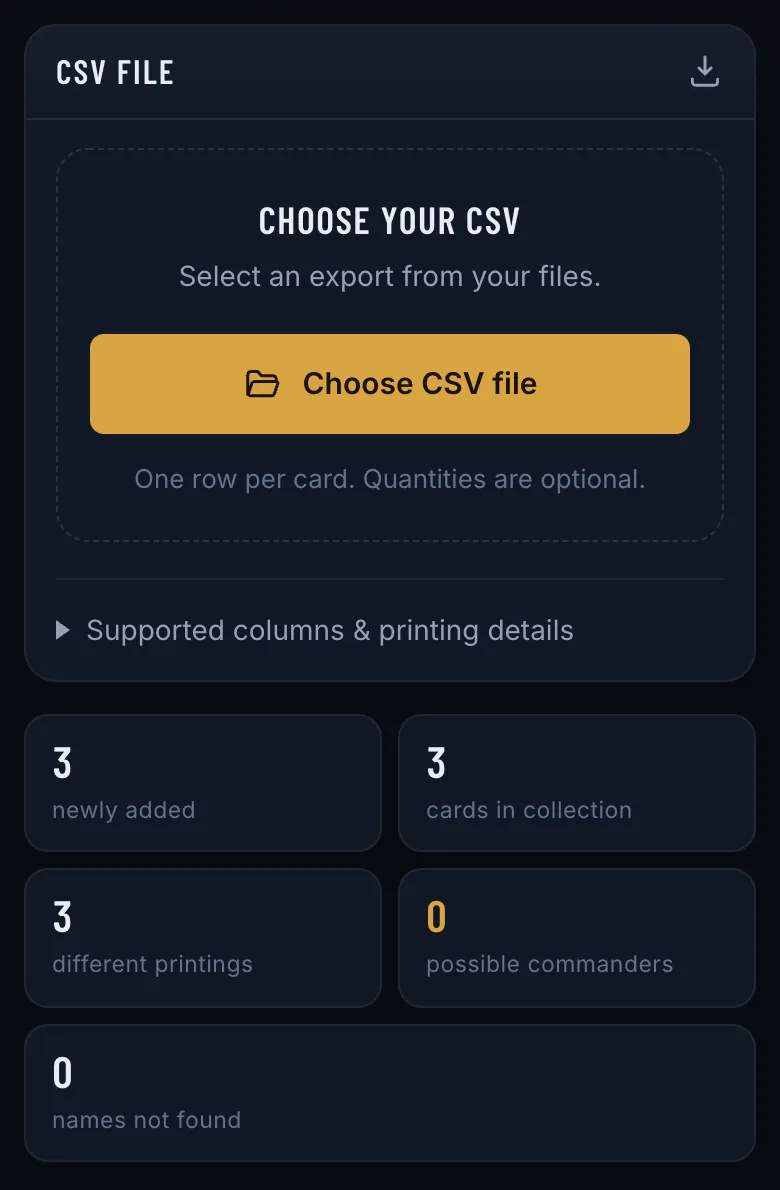
Opens Commandarium. On the start screen, tap Import collection, then Choose CSV file.
Start with a simple card list
A card-name column is enough to get started. Quantities help describe how many copies you have. Printing details help distinguish different editions of the same card.
Keep one card entry per row and give each column a clear heading.
Example starting format
| Name | Quantity |
|---|---|
| Sol Ring | 1 |
| Arcane Signet | 1 |
| Command Tower | 1 |
This is a formatting example, not a complete deck.
Prepare your file
- Put your card names in a column headed “Name”.
- Add a “Quantity” column if you track multiple copies.
- Export the sheet containing your collection as CSV.
- Import the file and review the matched cards.
If your spreadsheet contains multiple tabs, export the relevant tab rather than assuming the CSV includes the whole workbook.
Other headings work too. “Card Name” is read as the name, “Qty” or “Count” as the quantity, and German headings like “Anzahl” are recognized. Comma, semicolon and tab separators are all read, and so are files Excel saves in an older encoding.
Card names and exact printings are different things
A name identifies the card you can play. Edition information identifies the particular copy you own.
Include a Scryfall ID, or set code and collector number, when available. Without those details, check the selected printing before relying on collection prices.
| Optional column | What it does |
|---|---|
| Scryfall ID | Picks the exact printing — and with it the right price. |
| Set code + Collector number | Also picks the exact printing. Use the short code (“mh3”), not the set’s name. |
| Foil | Foil and nonfoil copies stay separate, each with its own price. |
| Binder | Becomes a binder in Commandarium. |
| Condition, Language | Kept for every copy. |
Every column the importer reads is listed in the import guide.
Give the list a purpose
After importing, choose a commander and use your collection as the basis for a deck. Your spreadsheet becomes a starting point for decisions about strategy, card choices, and possible additions.
Your spreadsheet, put to work
Free, in your browser — no download, no account needed to start.
Use my spreadsheet for deckbuildingOpens Commandarium. On the start screen, tap Import collection, then Choose CSV file.
Questions
Can I upload an Excel workbook directly?
No. For this workflow, save the relevant sheet as CSV first — Excel and Google Sheets both offer it under their download or “Save as” options.
Do I need prices in my spreadsheet?
No. Start with the card list; price columns are not required for this workflow. Commandarium looks up today’s prices itself.
What if a card does not match?
Review the import result and check spelling or identification details before building. The import lists every name it could not match, and the names it matched only approximately, so you can check them.
Read more
More ways to build from what you own
ManaBox collection to Commander deck
Already catalogued your cards in ManaBox? Import the CSV and build around what you own.
How it works →Delver Lens CSV to Commander deck
Scanned your cards with Delver Lens? Import the CSV and build a Commander deck from your scans.
How it works →Scan cards and start a deck
No digital collection yet? Scan a small stack and start building from it.
How it works →Choose a commander from your collection
Your next commander may already be in your binders. Explore the legendary creatures you own.
How it works →A deck from one binder or box
Turn one binder, one box or one pile of bulk into a complete Commander deck.
How it works →Upgrade a precon with your cards
Make a preconstructed deck stronger with the cards already sitting in your binders.
How it works →Check your deck’s ratios
Import a decklist and see its ramp, card draw and removal against their targets.
How it works →A shopping list from your collection
Only the cards your collection is missing for a deck — with today’s prices and the total.
How it works →Deck prices on Cardmarket
What a Commander deck costs in euros — and what it costs you after the cards you own.
How it works →